
- The most common cause is simple: the UAC prompt was declined or hidden, so the program never started.
- At startup the program checks drive letters; slow, virtual, network or cloud-sync drives can stall or crash it.
- Missing DLLs (Qt build) or runtime libraries (native build) stop it before the window appears.
- Event Viewer's Application log names the faulting module and turns guesswork into a specific fix.
Recognising the symptom
"Not opening" covers several different failures, and telling them apart saves time:
- Nothing at all happens when you double-click. No window, no error.
- A window flashes and closes, or an error box appears and the program exits.
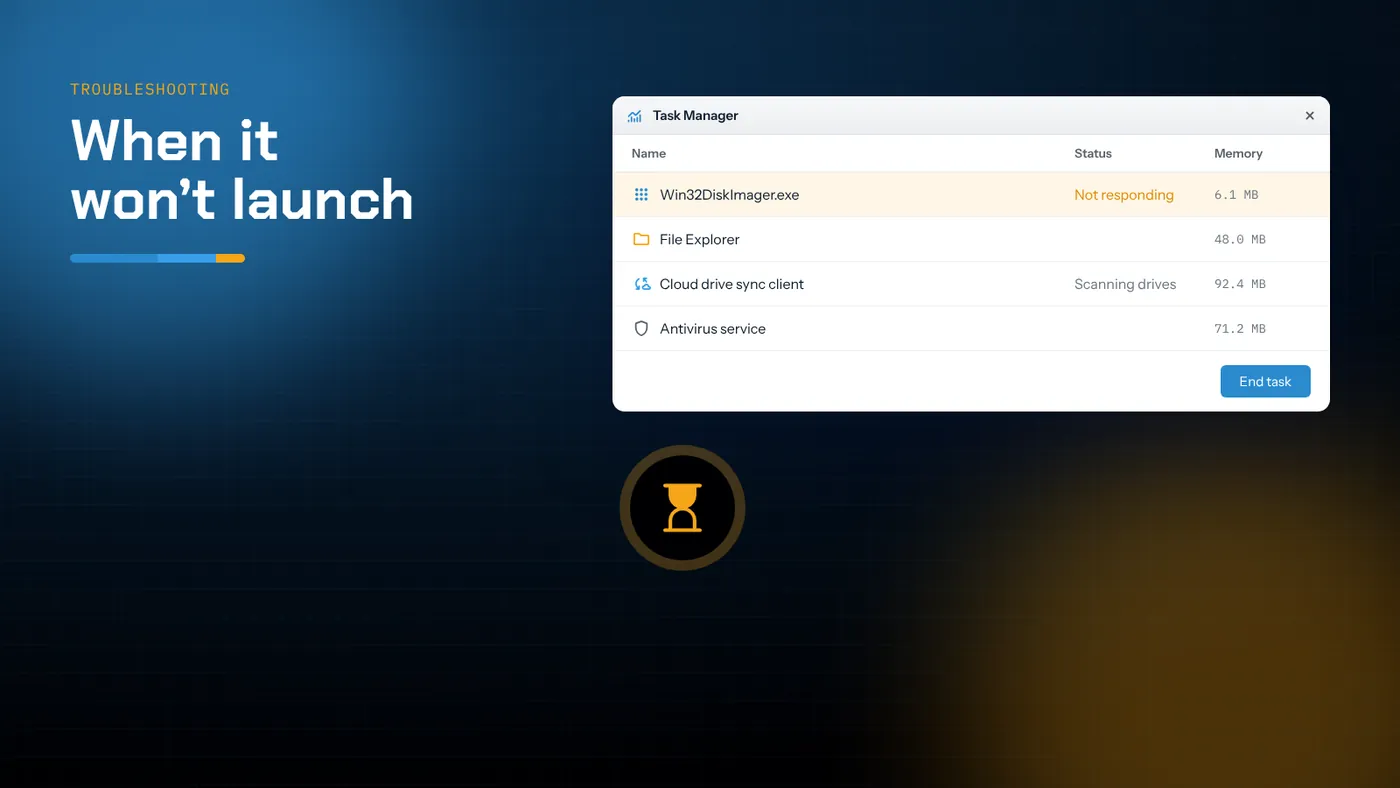
- The window never draws and Task Manager shows Win32DiskImager.exe as Not responding.
- A message says a DLL is missing or a runtime library can't be found.
- Windows says the app was blocked.
Work through the checks below in order. They're arranged from the most common and quickest to fix, to the rarer ones.
1. The UAC prompt was declined or hidden
Raw disk access needs administrator rights, so the program asks for elevation as it starts. If that prompt is answered No, or appears behind another window and times out, the program simply doesn't start. There's no error message; it just looks like nothing happened.
Fix:
- Right-click the executable or shortcut → Run as administrator.
- Watch for the UAC dialog, and check the taskbar for a flashing shield icon if it doesn't appear in front.
- On a standard user account, you'll need an administrator's password. There's no safe way round that.
If the program now opens, you're done. To make this more reliable, create a shortcut and, under Properties → Shortcut → Advanced, tick Run as administrator.
2. A drive is stalling the startup scan
When the program starts, it builds the Device list by checking the drive letters on your system and asking which are removable. If one drive answers very slowly, or not at all, the window can take a long time to appear, show as Not responding, or crash. The 1.0 release fixed one such case, where the program scanned the whole user profile at startup, but drive-related stalls still happen.
Typical culprits:
- Mapped network drives that point to a server that's offline.
- Cloud-sync clients that create virtual drive letters, such as Google Drive for desktop or similar services.
- Virtual drives from encryption tools, ISO mounters or virtualisation software.
- Multi-slot card readers with empty slots that respond slowly.
- A failing USB drive that Windows keeps retrying.
Fix:
- Disconnect all USB storage except the card you need.
- In File Explorer, right-click any mapped network drive → Disconnect.
- Pause or quit cloud-sync clients that add drive letters, and unmount virtual drives.
- Start the program again.
If it now opens, bring the drives back one at a time to find the one that caused the problem. You can then simply pause that drive before imaging in future.
3. Missing files or runtime libraries
Qt 1.0 release
The 1.0 binary depends on Qt and MinGW DLLs that live in the same folder as the executable. If you copied only Win32DiskImager.exe somewhere else, or an antivirus quarantined one of the DLLs, you'll see a message such as The code execution cannot proceed because Qt5Core.dll was not found, or nothing at all.
Fix: reinstall from the official installer, or extract the binary ZIP again and keep every file together. Don't download individual DLLs from DLL-collection websites.
Native Win32 build
If you built the native edition with the default dynamic runtime, it needs the matching Microsoft Visual C++ redistributable on every PC it runs on. A missing VCRUNTIME140.dll or MSVCP140.dll message means exactly that.
Fix: either install the current Visual C++ redistributable (x86 for a 32-bit build) from Microsoft, or rebuild with the C runtime linked statically (C/C++ → Code Generation → Runtime Library → Multi-threaded (/MT)) so the executable has no such dependency.
4. Windows blocked it
SmartScreen
"Windows protected your PC" appears for executables downloaded from the internet that have little reputation. Choose More info, check the file name, and click Run anyway only if it came from the official repository or project page.
Smart App Control (Windows 11)
If Smart App Control is on, unsigned programs it doesn't recognise are blocked without a Run anyway option. That often affects a self-built native executable. Use the widely downloaded release build, run the program on another PC, or review the Smart App Control setting in Windows Security. Read the prompt carefully, because on some builds turning it back on later requires reinstalling Windows.
Antivirus
Some security products flag any program that opens physical disks. Check your antivirus quarantine. If the file is there and you know it's genuine, restore it and add an exclusion for its folder rather than disabling protection.
5. Read the crash log
If the program still crashes, Windows usually records why.
- Press Win + R, type
eventvwr.mscand press Enter. - Go to Windows Logs → Application.
- Look for an Error entry with source Application Error at the time you tried to start it.
- Read the Faulting module name.
What the module tells you:
| Faulting module | What it points to | Next step |
|---|---|---|
Qt5Core.dll, Qt5Gui.dll, Qt5Widgets.dll |
Damaged or mismatched Qt files | Reinstall the 1.0 release cleanly |
ntdll.dll or KERNELBASE.dll |
Often a drive the startup scan choked on | Repeat step 2 more thoroughly |
| A third-party DLL (shell extension, overlay, antivirus hook) | Software injecting into every process | Update or temporarily disable that software |
Win32DiskImager.exe itself |
A bug triggered by something on this PC | Try the other build |
6. Try the other build
The Qt 1.0 release and the native Win32 rewrite share an interface but no code. A crash caused by a Qt component, or by how one build enumerates drives, often doesn't happen in the other. Keeping both on hand is a cheap insurance policy.
If you're on 1.0 and have exhausted the options above, some users get older 0.9.5 builds from the SourceForge archive folder to run on problem machines. Use that only as a last resort, because it lacks the 1.0 fixes and features.
7. Settings left over from an old version
The program stores a small amount of information, the last-used folder, in the current user's registry. A value written by an old version and pointing at a folder that no longer exists, such as a disconnected network share, can slow the first file dialog. Renaming the folder to exist again, or removing the program's settings key under the current user's Software key, resets it. Back up the registry key before deleting anything.
8. Compatibility mode is not the answer
People often try Run this program in compatibility mode for Windows 7 or XP. For this program that rarely helps and can add problems, because compatibility shims can interfere with how it accesses devices. If you've set it, turn it off (Properties → Compatibility), apply, and try again.
Quick checklist
- Run as administrator and watch for the UAC prompt.
- Disconnect network drives, cloud and virtual drives, and extra USB storage.
- Reinstall or re-extract so all files sit together; install or avoid the runtime the native build needs.
- Check SmartScreen, Smart App Control and antivirus quarantine.
- Read the faulting module in Event Viewer.
- Try the other build.
- Remove compatibility mode settings.
If it still won't open
Very occasionally, a PC has a combination of drivers and software that defeats both builds. Rather than spend an afternoon on it, do the imaging somewhere else: another Windows PC, or a cross-platform tool such as USBImager or balenaEtcher (see the alternatives guide). The image file and card are the same whichever tool writes them.
When it opens but closes during an operation
Sometimes the window appears normally but the program vanishes partway through a read or write. That's a different problem from failing to start, and the causes are usually hardware:
- The reader disconnected. A loose cable, a hub without its own power supply, or a laptop's USB power saving can drop the device for a moment. Windows then removes it, and the program loses its handle. Use a rear port or a powered hub, and turn off USB selective suspend in the advanced power plan settings for long jobs.
- The card is failing. Read errors on a worn-out card can stall Windows' storage stack. Check the System log in Event Viewer for disk errors at the same time.
- The destination filled up. Reading a large card onto a nearly full drive, or onto a FAT32 drive (with its 4 GB file limit), stops the read. Free space or switch to an NTFS or exFAT destination.
Fix the hardware cause and the program behaves normally again. If cards keep failing on one reader but not another, retire the reader.
Corporate PCs and application control
On managed work computers, IT departments often use application control policies such as AppLocker or Windows Defender Application Control. These can block any executable that isn't on an approved list, and the block often looks like nothing happening, or a brief message about the program being blocked by your organisation. You can't work round that yourself, and you shouldn't try. Ask your IT team to approve the official build, or do the imaging on a machine you manage.
Summary
When Win32 Disk Imager is not opening, the cause is usually outside the program: a declined UAC prompt, a slow or virtual drive holding up the startup scan, a missing DLL, or a Windows security feature blocking an unsigned file. Run it as administrator, strip the system down to the drives you need, keep the program's files together, and read Event Viewer when it crashes. Most PCs are back to flashing cards within a few minutes.